Choose your look with Nostr WoT extension themes
Explore light and dark palettes, follow your device with System mode, and learn how to create a custom theme for the Nostr WoT extension.
Nostr WoT Team
Make the extension feel like yours
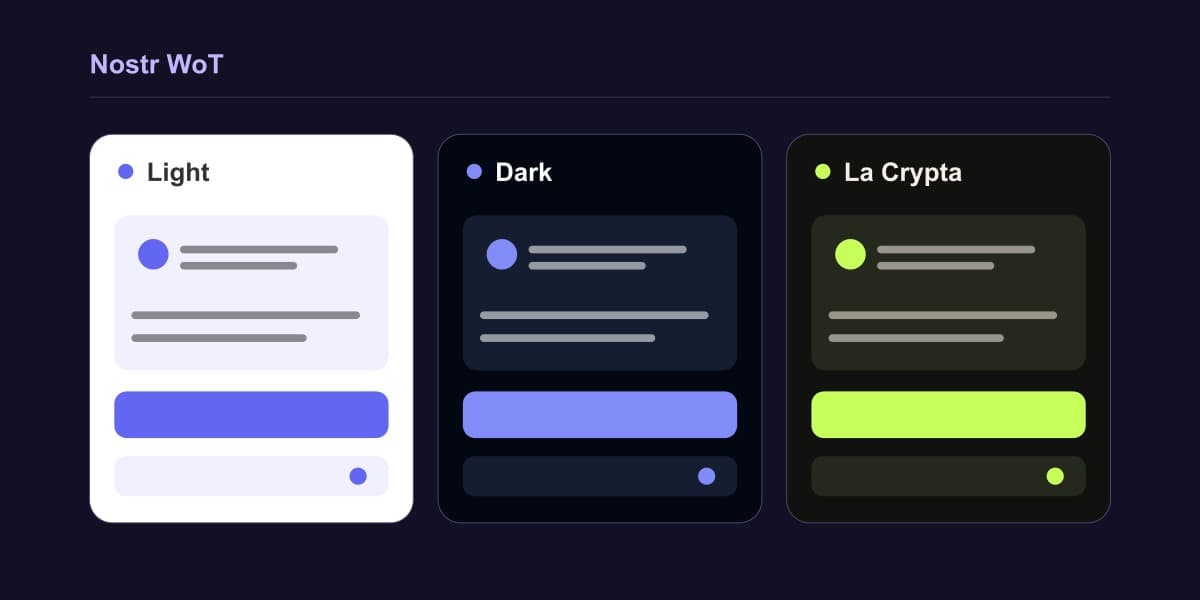
Use a bright palette during the day or a darker one when you prefer a quieter background. System mode follows your device, so you do not have to change the appearance manually each time. Open Settings → Appearance and language to choose your look.
- Light: a bright background with purple accents.
- Dark: near-black surfaces, lighter hover states and purple accents.
- La Crypta: warm dark surfaces, cream text and lime-green accents.
- System: follows your device’s light or dark appearance automatically.
Your choice saves immediately and applies across the extension’s windows. QR codes keep a white background in every theme. Changing appearance leaves your identity and wallet settings in place.
Create a theme
Want a different palette? Follow the guide to creating extension themes to apply custom colors or contribute a theme with light and dark modes. The guide covers color tokens, readable text, focus states and testing across the extension.
We created the La Crypta theme after La Crypta asked us for a dark theme. It is a small example of the collaboration we want to encourage between communities.
Written by
Nostr WoT Team