Customizing Your Trust Settings
Customize Web of Trust scores with hop weights and path bonuses. Choose local, remote or hybrid queries and review the limits of experimental graph results.

Web of Trust scores describe relationships in the follow graph, not a guarantee that a person is safe or trustworthy. The extension’s Web of Trust feature is experimental; results may be incomplete or outdated.
Open the settings
Open Settings → Web of Trust (experimental). Enable it if you want connected sites with identity access to use window.nostr.wot.
Sync settings controls the query mode and graph limits. Local mode uses your local graph. Remote and hybrid queries may contact the configured oracle. Choose a maximum depth from one to three hops and review the storage limits before syncing.
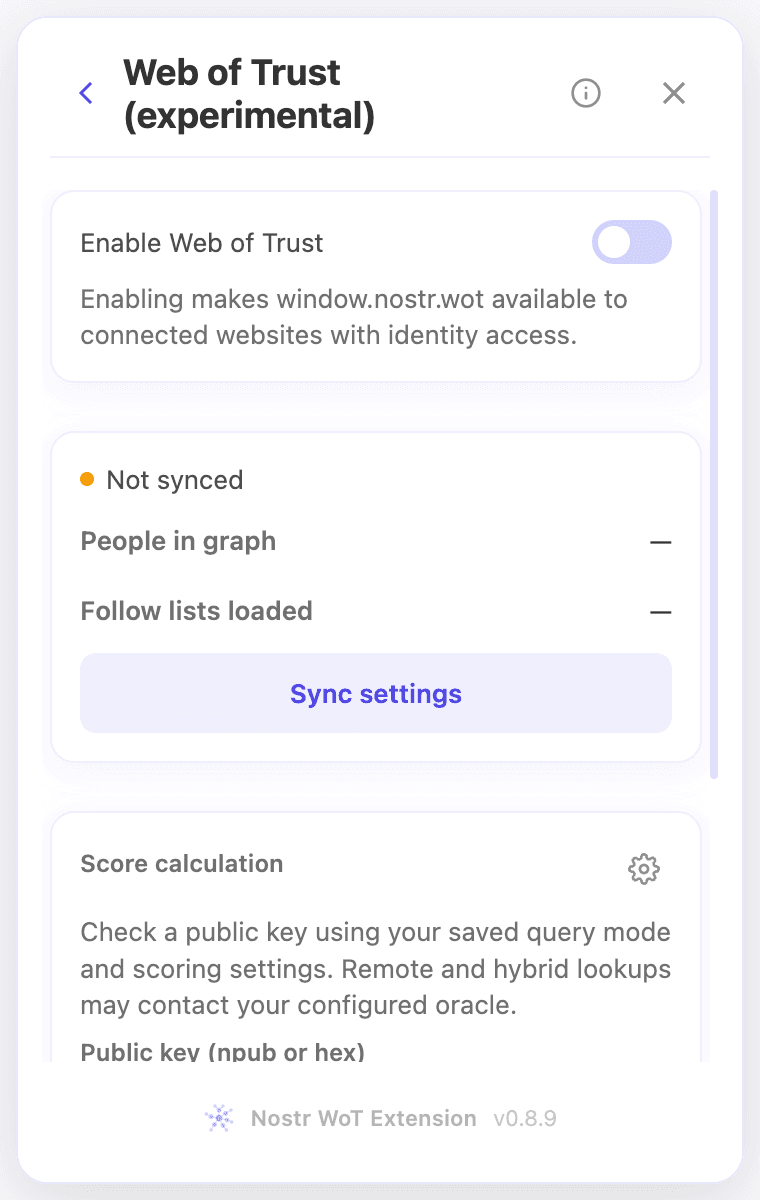 Web of Trust settings and public-key lookup
Customize score calculation
Beside Score calculation, select the settings icon labelled Customize scoring. The current panel has numeric fields, not a sensitivity slider:
- Hop weights set the contribution for distances of one, two and three hops. Defaults are 1, 0.5 and 0.25.
- Path bonuses for two and three hops default to 0.15 and 0.1.
- Maximum path bonus defaults to 0.5.
Use values from 0 to 1. Valid changes are saved automatically. Reset scoring restores the default values. Known muted targets score zero regardless of these weights; private mutes must be decrypted first.
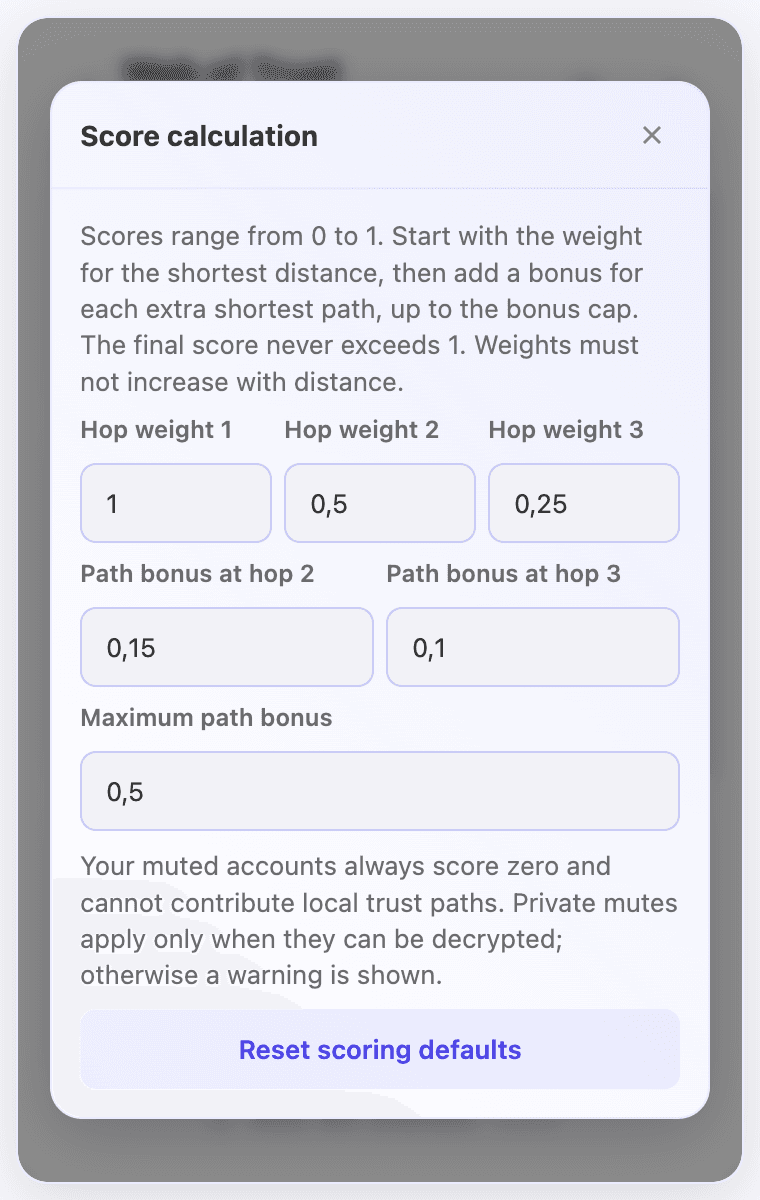 Current score settings with hop weights, path bonuses and a reset button
Check the result
Return to Score calculation, enter an npub or hex public key and select Calculate score. The lookup uses the saved query mode, scoring settings and mute rules. Review its context before using the number to make a decision.
See Understanding Web of Trust and the WoT Playground.