Troubleshooting
My wallet will not connect
Connection problems often come from a mismatched credential, an expired NWC connection, or an unavailable wallet. Check the connection method before replacing any credentials.
Before you start
- Open your wallet provider’s interface and check that the wallet is available.
- Keep the connection error visible or copy its text without any secret values.
Steps
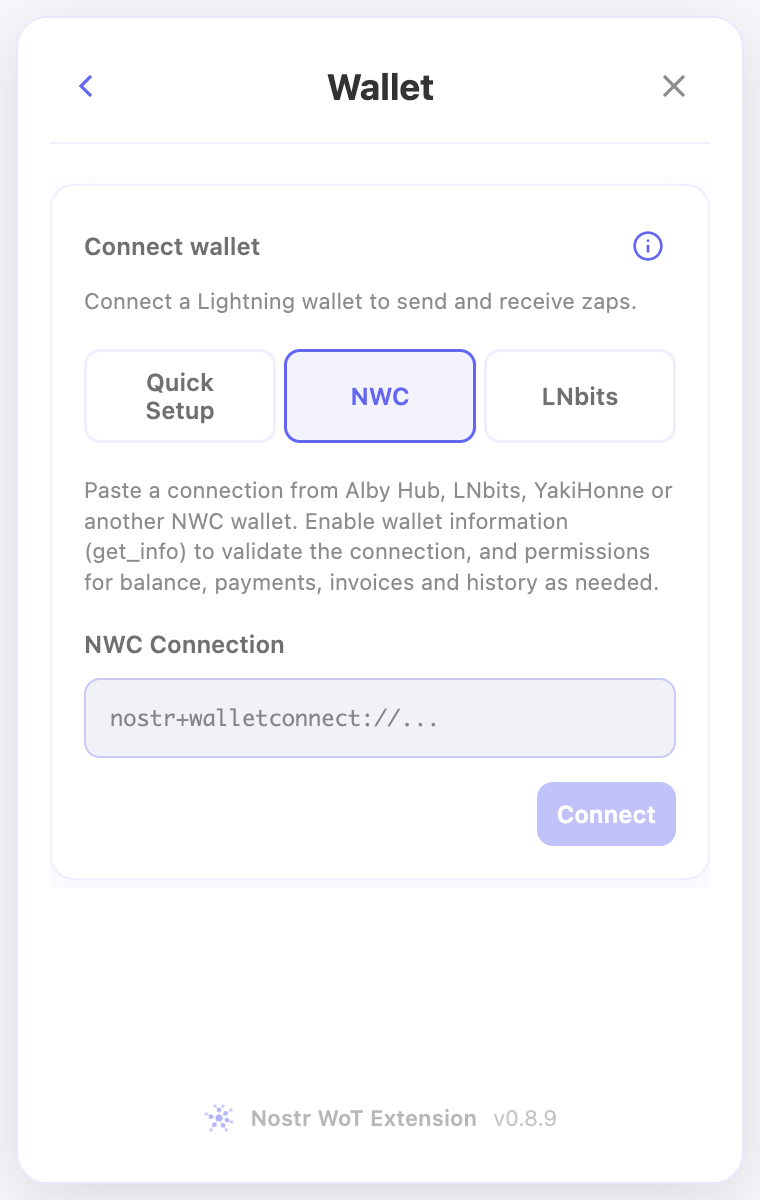
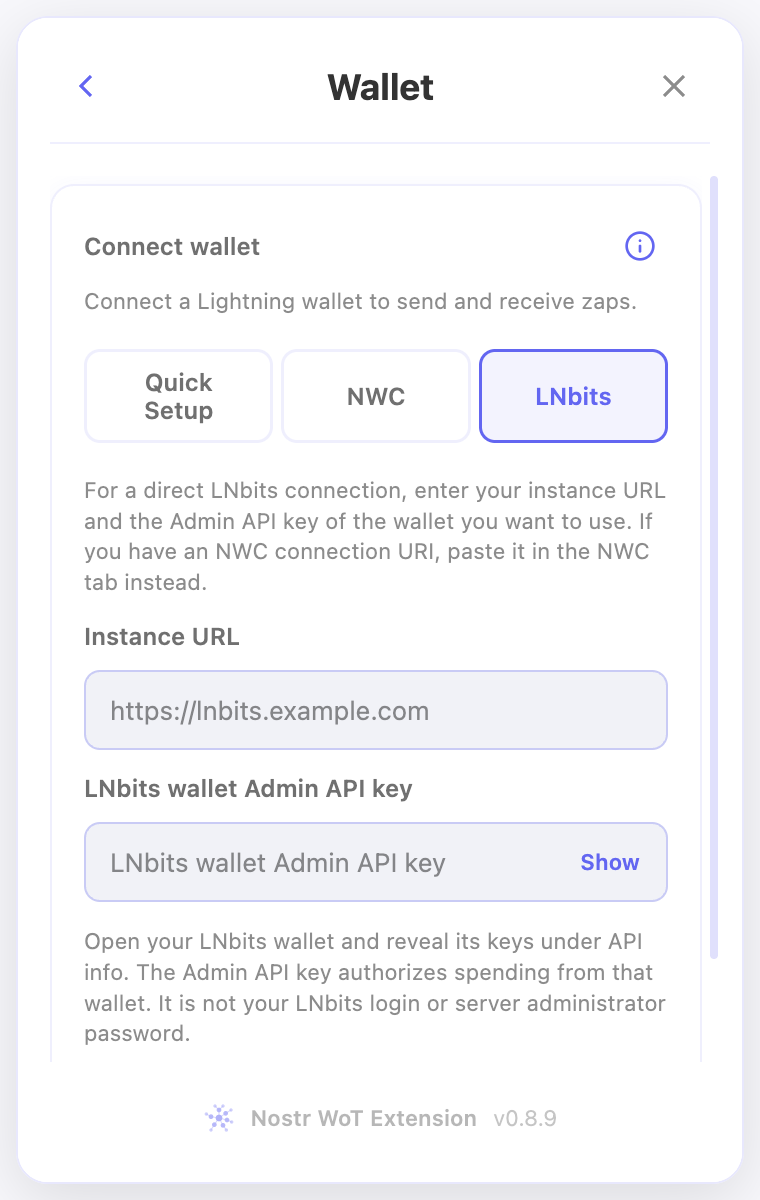
- In the extension, check whether you selected NWC or LNbits for the credentials you have.
- For NWC, paste the complete nostr+walletconnect:// connection secret. Check its expiry and allow wallet information for connection validation.
- For LNbits, use the instance’s HTTPS URL and this wallet’s Admin API key. An invoice/read key or administrator password is not a replacement.
- Try connecting again, then check which features work. Review balance, invoice, payment, and history permissions in the provider if only some operations fail.
Check the result
- A successful connection should display the wallet and the information its permissions allow.
- If it still fails, provide the connection method and error text to support. Remove NWC secrets and API keys from messages and screenshots.
On screen
Screenshots use the English interface and demo accounts. Open an image to see it at full size.