Migrate a compatible passkey account to Nostr WoT
Recover a compatible account using its original passkey domain, then enroll a new Nostr WoT credential while keeping the same public identity.

Recover a compatible account using its original passkey domain, then enroll a new Nostr WoT credential while keeping the same public identity.
This guide describes the passkey flow. If these controls are missing, check your installed extension version. Button names below match the English interface.
Before you start
You need compatible recovery data, access to the original provider and original passkey domain, plus the account’s expected public npub.
Start with an empty extension installation. The browser must permit the original domain; arbitrary passkeys from other apps are not automatically compatible.
Steps
- Choose Try other methods, then Advanced passkey setup. Enter the original passkey domain as a hostname without a scheme, path or port.
- Select the existing credential. Confirm recovery when asked, then restore compatible provider, relay or file data. Compare the recovered npub with the original before continuing.
- Open Settings, Security, then Passkey. Select the existing credential and choose Add another passkey. Keep or edit the suggested name and continue. Verify the existing credential, then register a new one under passkeys.nostrwot.com in the browser prompt.
- Recovery for the new credential saves automatically when the provider supports it; confirm the authentication prompt. A confirmed save finishes this step automatically, without a download screen. Only if provider storage is unavailable or fails must you download and acknowledge the encrypted recovery file. Test the new credential; an additional file remains available in Passkey settings.
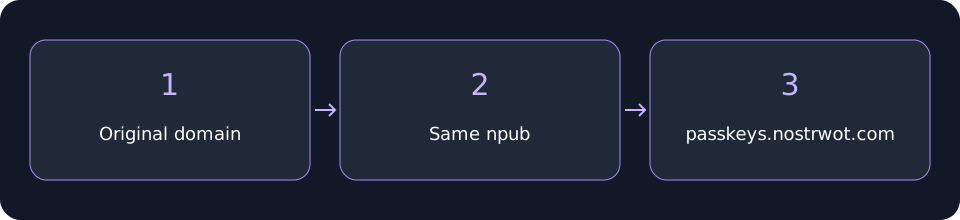 Migrate a compatible passkey account to Nostr WoT
Check your recovery
The original credential remains enrolled. Adding the new credential preserves the recovered Nostr public key; it does not move or rename the original passkey’s domain.
Compatibility depends on the original domain, PRF and recovery format. This is not a universal passkey transfer. Keep original recovery access until the new route is verified.