Removing an Account
Remove a Nostr account safely: back up its key or seed and derivation path, review the confirmation, and understand what remains on relays and other devices.
Removing an account deletes its local entry from this extension. It does not delete its profile or posts from Nostr relays, or remove the identity from your other devices.
Back up before removing
Open Settings → Security. Keep a secure copy of the private key or encrypted backup. For a derived account, keep the recovery phrase and its derivation path. An imported key also needs a backup; importing it does not prove that you still have another copy.
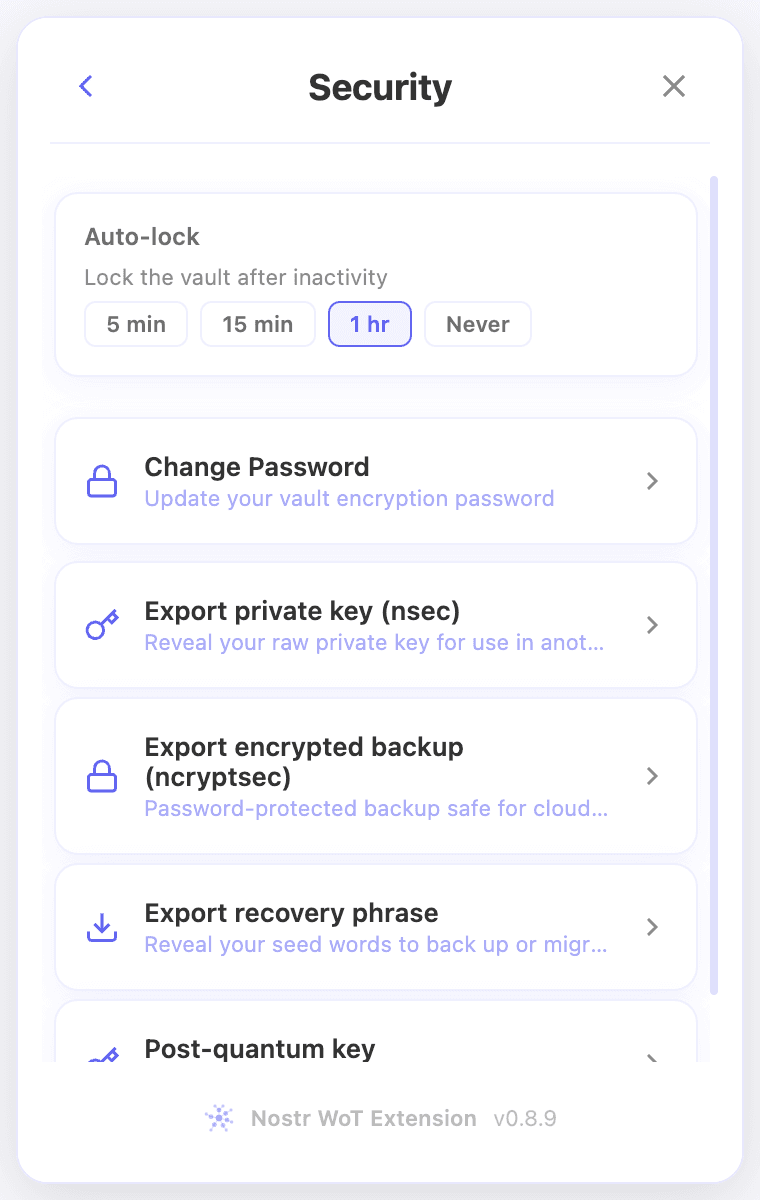 Security settings with recovery phrase and encrypted-backup options
Remove the account
- Open the account selector at the top of the popup.
- Find the account and select its × remove icon on the right.
- Read the confirmation and check the account name. For seed-derived accounts, the dialog also shows the derivation path and explains how other accounts using that phrase are affected.
- Select Remove to confirm, or Cancel to keep the account. There is no requirement to type REMOVE.
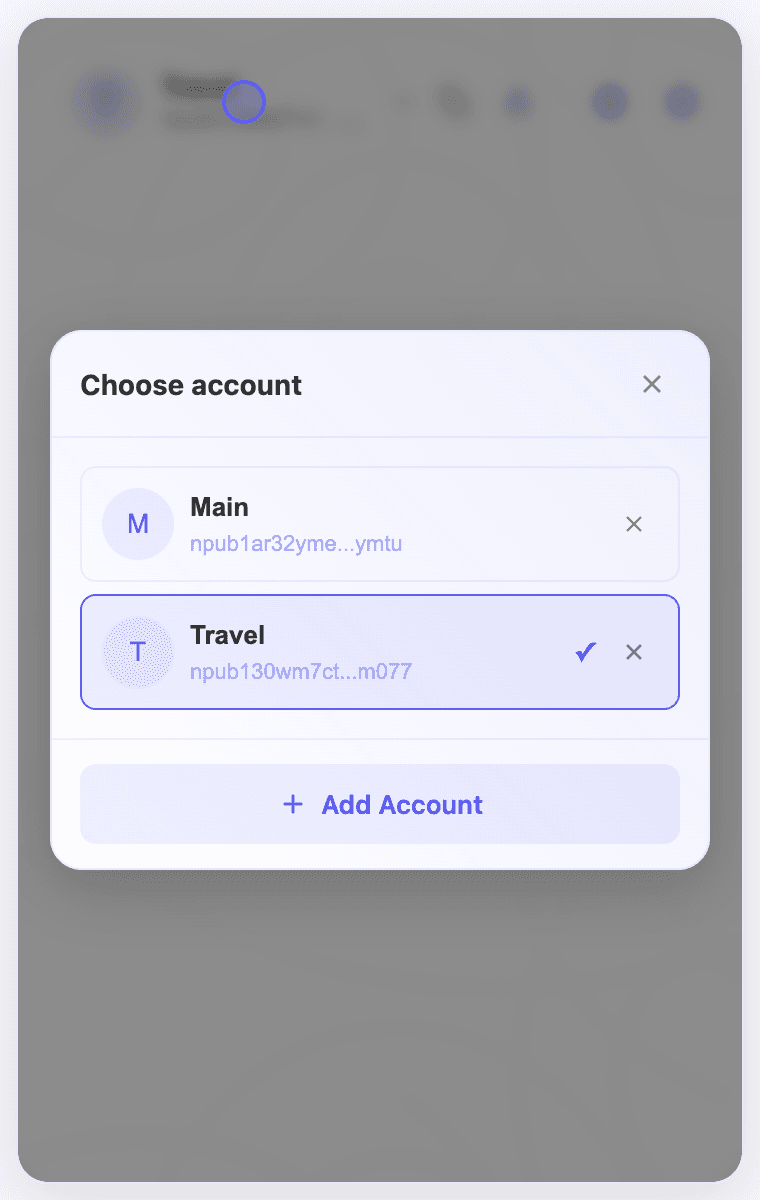 Account selector with a remove icon beside each account
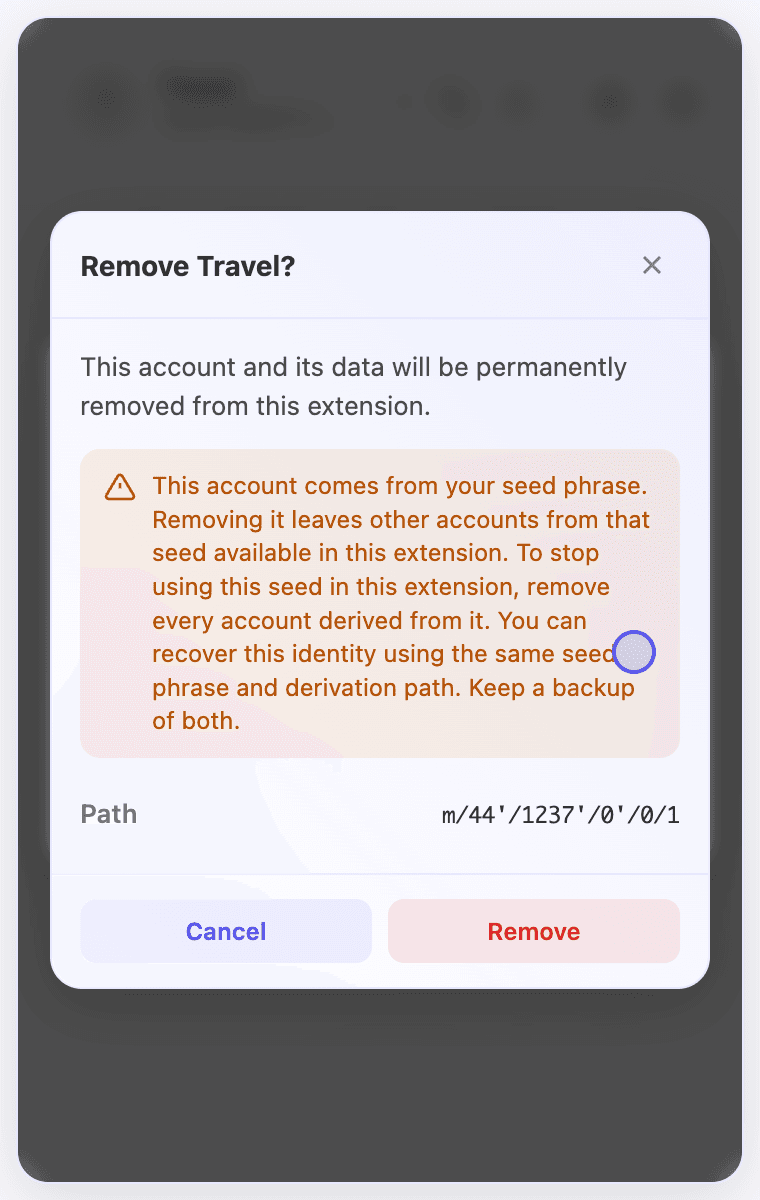 Removal confirmation for a derived demo account, including its derivation path
Removing one derived account leaves the other accounts from the same seed available. To stop using that seed in this extension, remove every account derived from it. Keep your backup before doing so.
Restore an identity
Open the account selector, choose Add Account → Import Key or Backup, and use your saved key or recovery phrase. To recover a specific derived identity, use its original derivation path. Do not assume that restoring keys also restores local permissions or wallet connections.