Accounts & backups
Add another identity
Create another identity for a different purpose without generating another recovery phrase. Each derived identity has its own public key, but all identities using the same phrase depend on that shared backup.
Before you start
- The vault must already contain a main recovery phrase; an imported private key alone is not enough.
- Keep a secure copy of that phrase before adding identities.
Steps
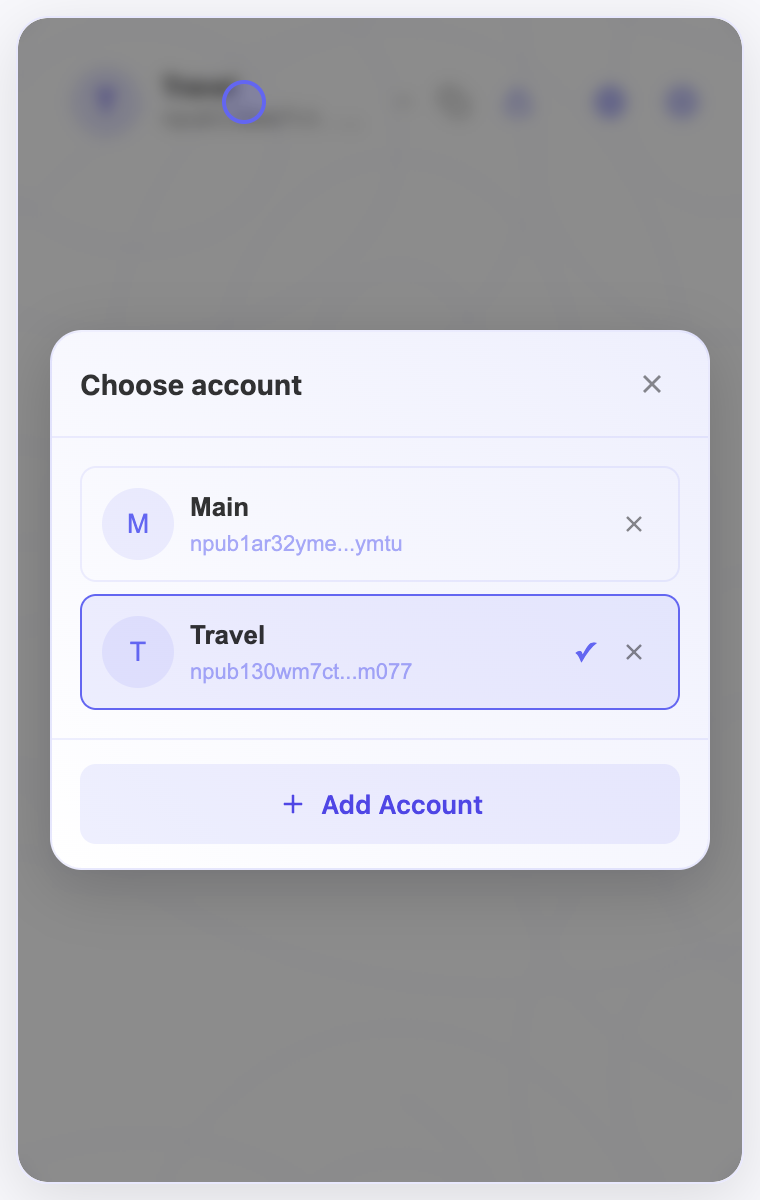
- Unlock the extension, open the account selector, and choose Add Account → Create New.
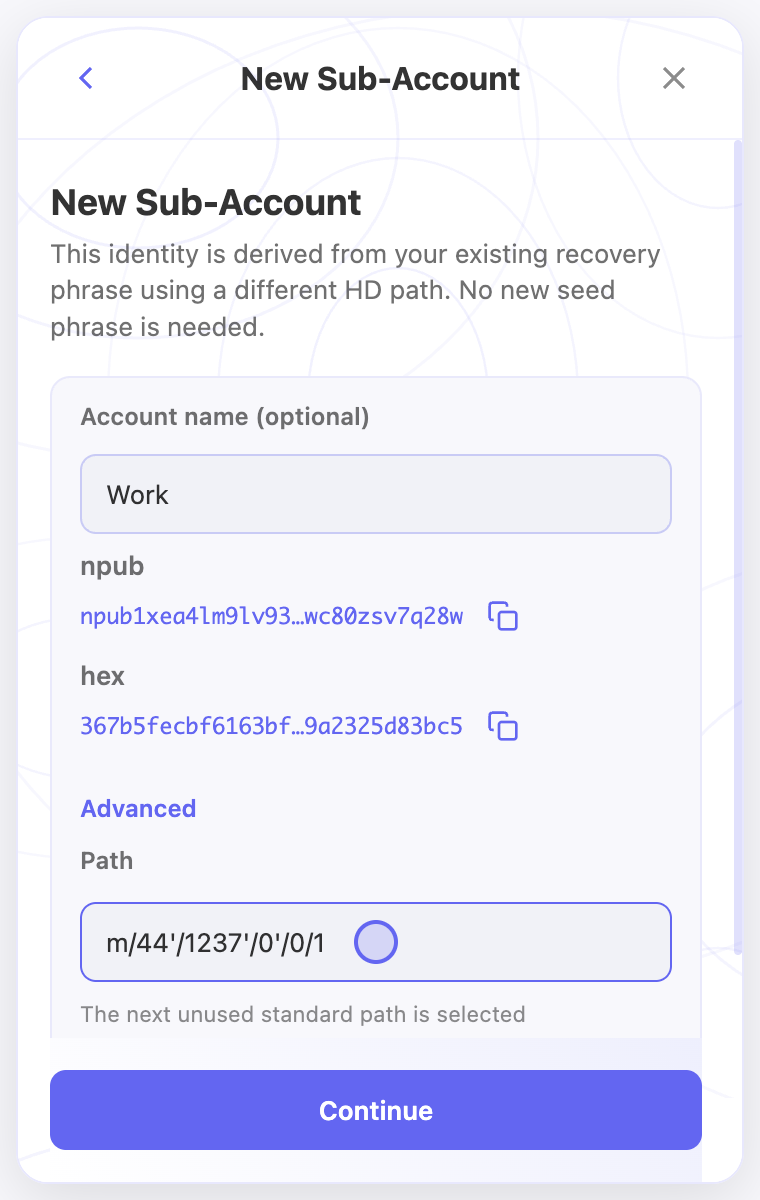
- Enter a name that helps you recognize the identity. The local account name does not publish a new profile name.
- Keep the suggested derivation path unless you need a specific one. Open Advanced only to enter an exact path you intend to use.
- Check the public-key preview, finish setup, then select the new identity in the account selector.
- Record its exact derivation path and public key with your recovery records. The phrase alone does not tell another tool which path to restore.
Check the result
- The account selector should show the additional identity, and selecting it should show its own public key.
- Changing a path creates a different identity; it does not move posts, followers, or profile information from another account.
On screen
Screenshots use the English interface and demo accounts. Open an image to see it at full size.
Watch the related video
Video in English. Some labels may differ by version.
Watch on YouTube