Accounts & backups
Remove an account
Removing an account deletes its entry from this extension. Its published profile and posts remain on Nostr, and the identity can still exist on your other devices.
Before you start
- Save a recoverable private-key or recovery backup before removing the account.
- For an identity derived from a phrase, record its exact derivation path and public key too.
Steps
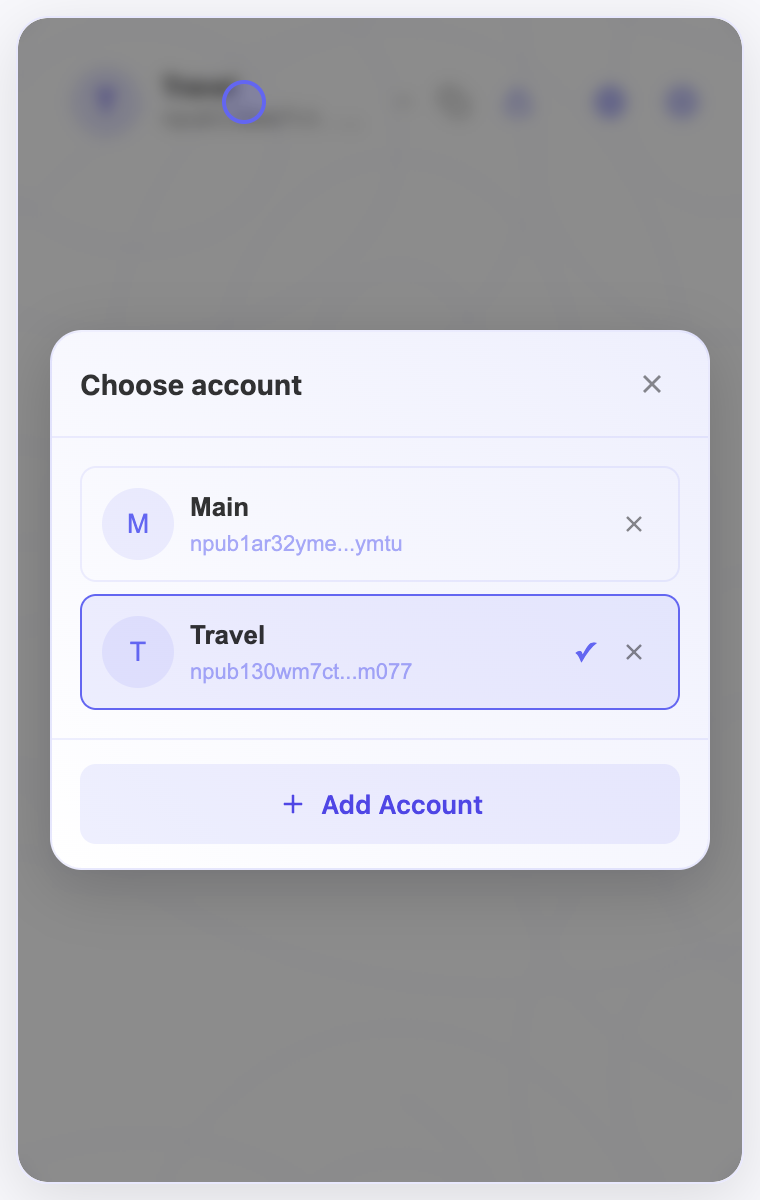
- Open the account selector at the top of the extension popup.
- Find the account you want to remove and select its × icon.
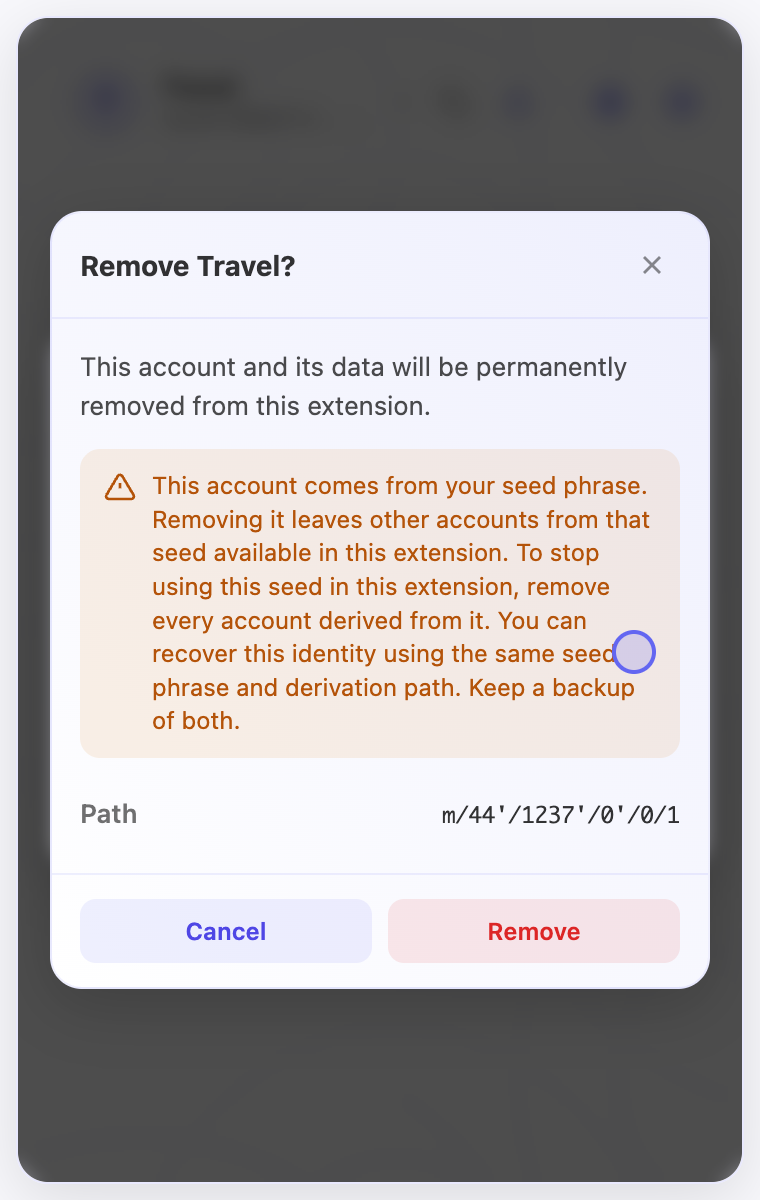
- Read the confirmation and check the account name. For a derived account, review the path and the explanation about other accounts sharing its phrase.
- Choose Remove to confirm, or Cancel to keep the account.
Check the result
- The removed account should no longer appear in this extension’s account selector.
- Removing one derived account leaves other identities from that phrase available. Restoring keys later may still require reconnecting wallets and configuring permissions.
On screen
Screenshots use the English interface and demo accounts. Open an image to see it at full size.
Watch the related video
Video in English. Some labels may differ by version.
Watch on YouTube