Site Permissions
The extension gives you granular control over what each website can do. Learn how per-site permissions keep your keys and sats safe.

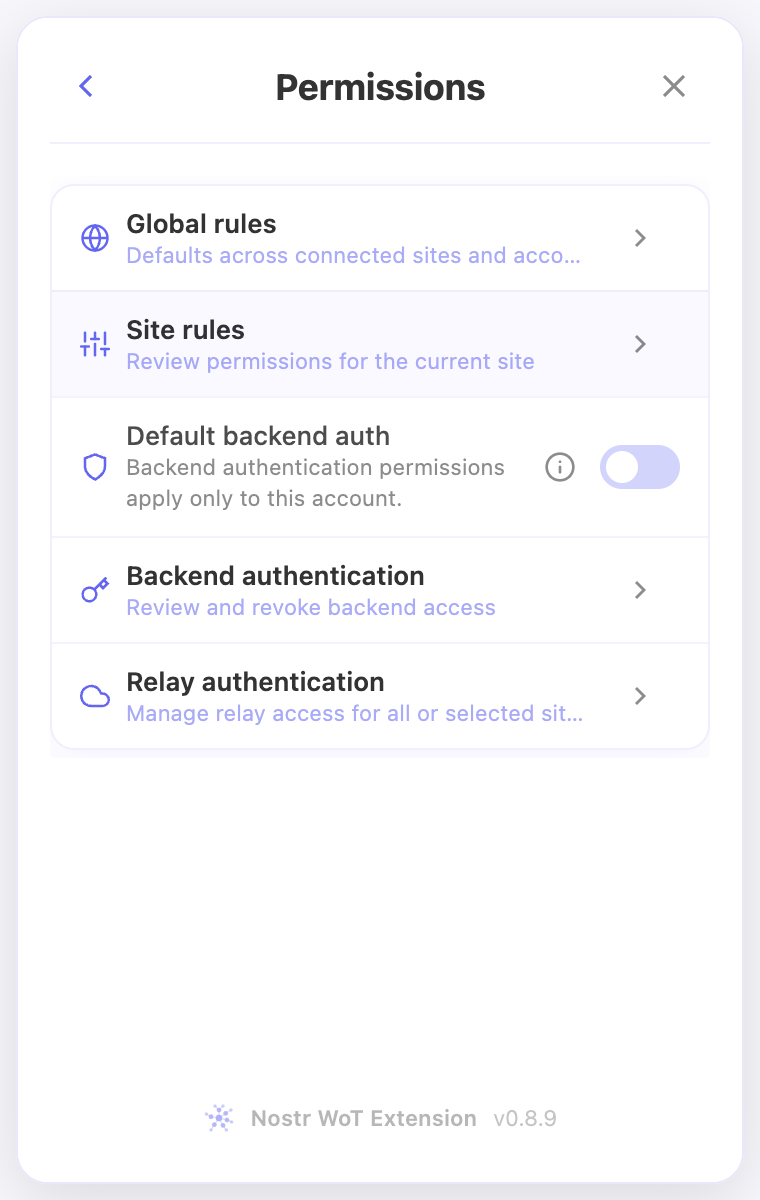
Connection consent, ordinary signing rules and authentication permissions are separate controls. Open Permissions in the extension for the active account.
Global rules and the current website
Global rules applies ordinary defaults across connected sites and accounts. Site rules opens the website in the current browser tab, not a saved-site list. Visit a normal web page first if the extension asks you to choose a site. The dashboard's Manage permissions shortcut opens the same editor.
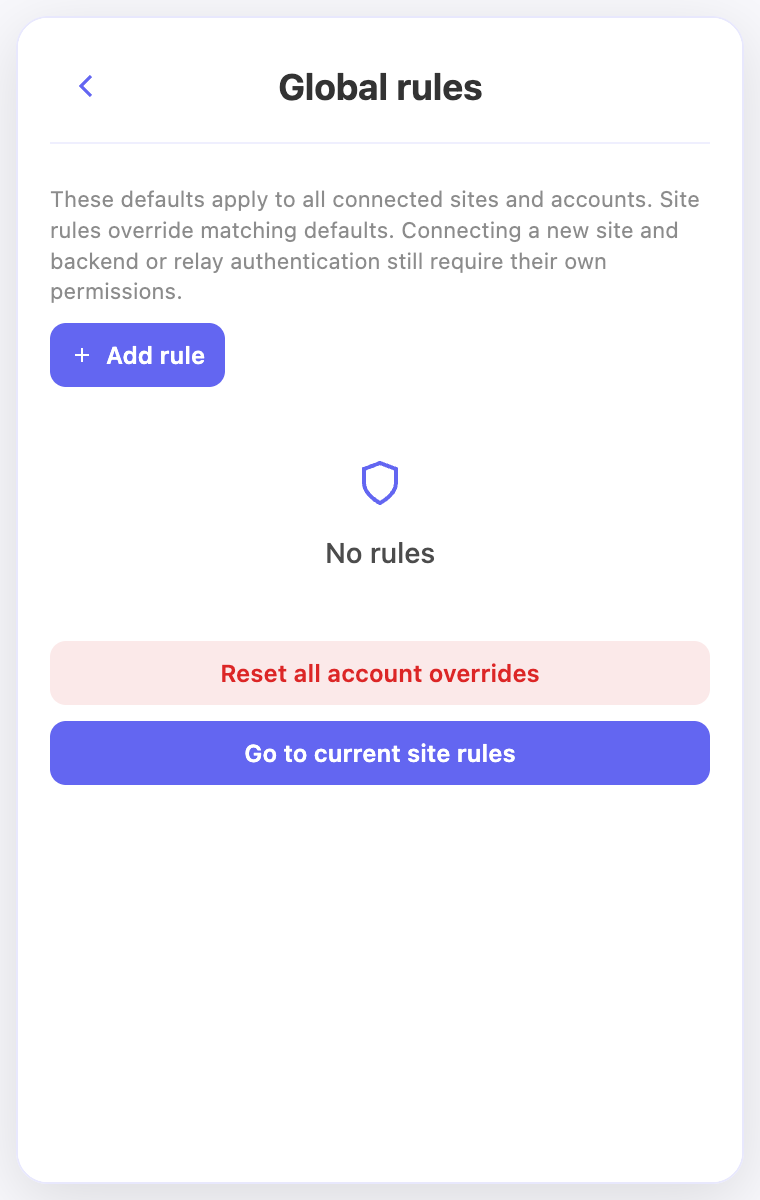
Global rules appears above Site rules in the menu. In a site editor, Add rule sits beside the website name. The footer's Global rules button opens the shared defaults. Global rules has Go to current site rules below its content. Back returns to Permissions when opened from that menu.
Gray rows in Site rules are inherited from the visible Global rules. Colored rows are overrides for this account and website. Changing an inherited rule creates an override; Use inherited default removes it. Old shared rules migrate once into Global rules; conflicting site choices remain explicit overrides.
Add, change or reset a rule
Use Add rule to choose an action and set Allow, Deny or Ask. A matching site override replaces its global default. Broader rules can still affect the result: a broader denial must be changed separately. These settings cover actions such as reading a public key, signing event kinds, and encrypting or decrypting messages. They do not authorize a new site connection or replace backend/relay authentication consent.
Reset site overrides asks for confirmation, removes this account's rules for the current site and keeps you in the same editor. Only inherited global rows remain gray. Removing an override can make a global Allow apply again. Reset all account overrides in Global rules also asks for confirmation and keeps globals; neither reset removes separate authentication grants.
A declined current site opens its dismissal editor instead. Choose one week, one month, one year or forever, or remove the dismissal so it can ask again. This does not connect the site or grant signing permission.
Review a request
Approve once and Deny resolve the current request; once is not a browser-session permission. Arrow menus offer remembered choices. Grouped requests let you select the requests to approve and deny the displayed group. New or unselected requests are not silently included.
Signing review describes the action and shows note content or a supported event preview. The code icon opens raw event data in a popup. Private-message requests group by sender when available. Click the blurred content to reveal it locally; it hides again after 30 seconds. Revealing does not approve delivery of the decrypted message to the website.
Backend, relay and wallet permissions
Default backend auth starts off for each account. If enabled, connected sites can authenticate with NIP-98 to the exact same HTTPS origin or a verified registry pair. Explicit denials win. Backend authentication shows the enabled policy, a rules/registry link and explicit saved grants. Automatic policy approvals do not add individual rows. See the backend guide.
Relay authentication manages each relay for the active account, including selected connected apps or all connected sites. It is separate from the read/write relay configuration. See the relay guide.
Lightning payments retain their own confirmation, limits and automatic payment settings. Allowing ordinary Nostr signatures does not create unrestricted payment authority.
In the extension
Screenshots use the English interface and demo accounts. Open an image to see it at full size.
Related video walkthroughs
These videos are in English.